
Updated: 19 November 2026

WinWinter App: playing from your phone in a few taps
Open WinWinter in your mobile browser and add a home screen shortcut; no store app is needed, and deposits start at €20.
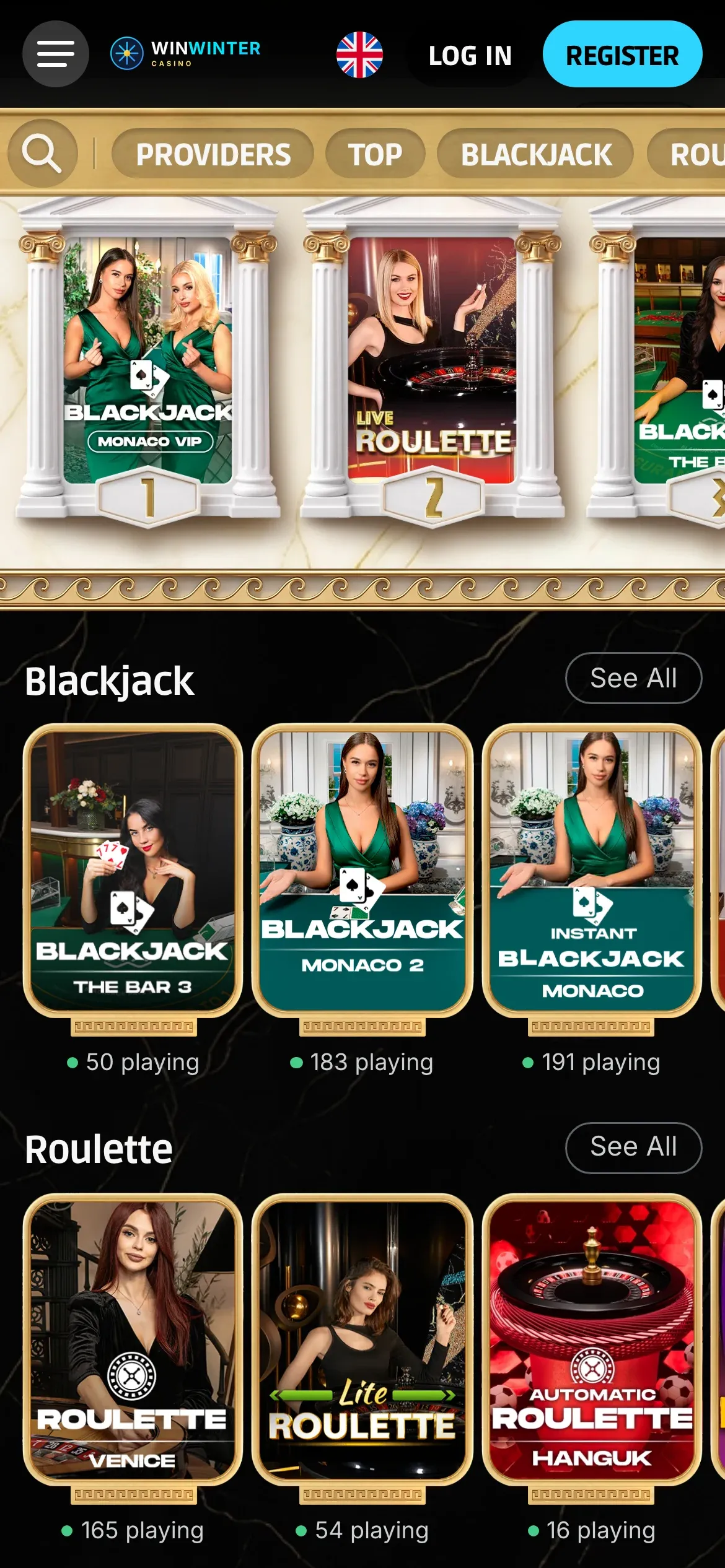
The live lobby in a mobile browser: no download, the same account and wallet.
WinWinter app: overview of mobile platform compatibility
| Device Category | Browser Access Method | Operational Features |
|---|---|---|
| iPhone (iOS) | Safari | Full account access, slots, live casino |
| Android | Chrome | Full account access, sportsbook, crash games |
| Tablet | Standard browser | Touch-optimised interface, shared wallet |
| Desktop/Laptop | Web Browser | Account sync, cashier, full game library |
Accessing the WinWinter platform requires only a stable internet connection and a standard mobile web browser. The system is designed to provide a uniform experience across devices, maintaining a single shared wallet for casino games and sports betting. Players do not need to perform a WinWinter download from any app store, as the entire service runs directly in the mobile browser environment.
This browser-based approach ensures that users remain within the ecosystem without occupying storage space on their devices. The interface adjusts to the screen size automatically, whether the player is accessing slot machines or live dealer tables. All financial operations, including deposits via Visa, Mastercard, Revolut, or cryptocurrency, remain available in the mobile cashier. Players should check that sign-up is open for their specific country before proceeding with a deposit.
WinWinter app: troubleshooting connection and browser errors
Occasional errors during login or page loading are typically related to browser data or network configuration. If the site fails to load, the first step is to clear the cache and cookies of the browser being used. Browsers accumulate temporary data that may conflict with updated site elements. Access the browser settings, select privacy or data management, and remove cached files. Restart the browser completely before attempting to log back into the account.
Another common cause of restricted functionality is an outdated browser version. WinWinter relies on modern web standards to provide smooth performance for complex games and the cashier interface. Ensure the mobile browser is updated to its latest version via the system settings. If functionality remains restricted, verify that JavaScript is enabled, as the live dealer section and sports betting engine require this to process real-time data.
If the issue persists despite these adjustments, the account may require verification or there could be a localized network restriction. In such cases, contact the support team via live chat to clarify the status of the account or to report a technical error. Email responses are usually provided within 24 hours. Keep in mind that for financial transactions, the minimum deposit is €20, and deposit methods include Apple Pay and Google Pay up to €800, or cards up to €1,000. Ensure that the internet connection is secure, especially when performing withdrawals, which are processed with a minimum limit of €50.
WinWinter mobile: home screen shortcut on iPhone
Creating a quick-access shortcut on an iPhone allows players to reach the platform with a single tap, mimicking the behaviour of a standalone application. Open the Safari browser and navigate to the site. Once the page is fully loaded, locate the Share icon, typically positioned at the bottom center of the screen. Scroll through the options in the share menu until finding the selection labeled “Add to Home Screen.”
After selecting this option, the system prompts for a name to be assigned to the icon. Confirm the creation, and an icon will appear on the device home screen. This creates a link that opens the site in an independent window, removing the browser address bar for an immersive experience. This method is the only method to create a mobile shortcut, as there is no specific application to download from the App Store. When using this shortcut, the shared wallet remains accessible for all activities, including live casino games with a minimum stake of around €0.50.
This setup is particularly useful for tracking progress in the VIP program, which offers five levels based on monthly deposits ranging from €50 to €1,500 and more. Each Friday, the system credits rewards based on the achieved level, which can include up to 100 free spins and a €100 bonus. Remember that withdrawals are processed to the same method used for the deposit, with a daily maximum of €500. Verification or KYC typically requires a passport or driving licence and a utility bill for address proof, with checks usually taking 24-72 hours. If any part of this process causes confusion, contact WinWinter support for clarification on the requirements for successful verification.
WinWinter app: shortcut creation on Android
Android users can replicate the shortcut experience using the Chrome browser. Open the WinWinter site in Chrome and ensure the page is fully loaded. Tap the menu icon, represented by three vertical dots, usually located in the top-right corner of the interface. In the menu list, scroll down to locate the option labeled “Add to Home screen.” Selecting this will create a shortcut icon on the home screen immediately.
This shortcut functions as a direct entry point to the mobile casino and sportsbook. It allows for quick access to the full suite of gaming options, including sports betting with over 30 sports and esports like CS2 or League of Legends, with a minimum stake of €0.10. The browser shortcut does not require additional software updates, as the site updates automatically server-side. This ensures that the most recent features, such as new tournaments or updated bonus structures like the 120% welcome offer up to €500 plus 30 free spins, are always available.
Managing finances through the Android shortcut remains straightforward. The cashier supports various methods including BTC, ETH, and other cryptocurrencies, which typically credit in 10-30 minutes. Withdrawals are subjected to the same pending time, typically up to 24 hours before approval. If the shortcut fails to open the site, verify the network settings and consider toggling between Wi-Fi and mobile data. Always ensure that the browser is not in “Incognito” mode, as this prevents the system from saving login sessions and may disrupt the continuity of the gaming experience. If problems occur with game loading or account access, review the deposit or withdrawal procedures in the cashier section to ensure they align with the standard operating limits.
WinWinter app: answers to common questions
Is there a WinWinter app in the App Store or Google Play?
No. WinWinter runs in the mobile browser on iPhone and Android, and you can add a home screen shortcut; the site includes a sportsbook with 30+ sports.
Does a home screen shortcut install a separate app?
No, it opens the mobile site in your browser rather than installing a separate app. The browser version includes access to thousands of games, with demo play on most slots.
Can I use the same account for casino and sportsbook play on my phone?
Yes. The casino and sportsbook use one account and a shared wallet, with live betting and esports such as CS2, Dota 2 and League of Legends available alongside casino games.
What deposit limits apply in the mobile cashier?
The general minimum deposit is €20, and the maximum is €2,000 per transaction, with no casino fees. Card deposits are limited to €1,000 per transaction, while Apple Pay and Google Pay are limited to €800.
What do I need for a first withdrawal from my mobile account?
KYC is required before the first withdrawal and asks for a passport or driving licence plus a utility bill; checks typically take 24–72 hours. The minimum withdrawal is €50, and the daily maximum is €500.